Made for digital-product sellers · Wall art · Posters · Clipart
Upload one image.
Get a complete
listing kit.
Five print sizes at 300 DPI. Lifestyle mockups. A 15-second listing video. Starter listing copy. Customer download PDF. Delivered to your Google Drive — in minutes, not hours. Paste the finished files into Etsy, Shopify, Gumroad, or your own store.
75 free credits on signup · no card required · sell on Etsy, Shopify, Gumroad, or your own store
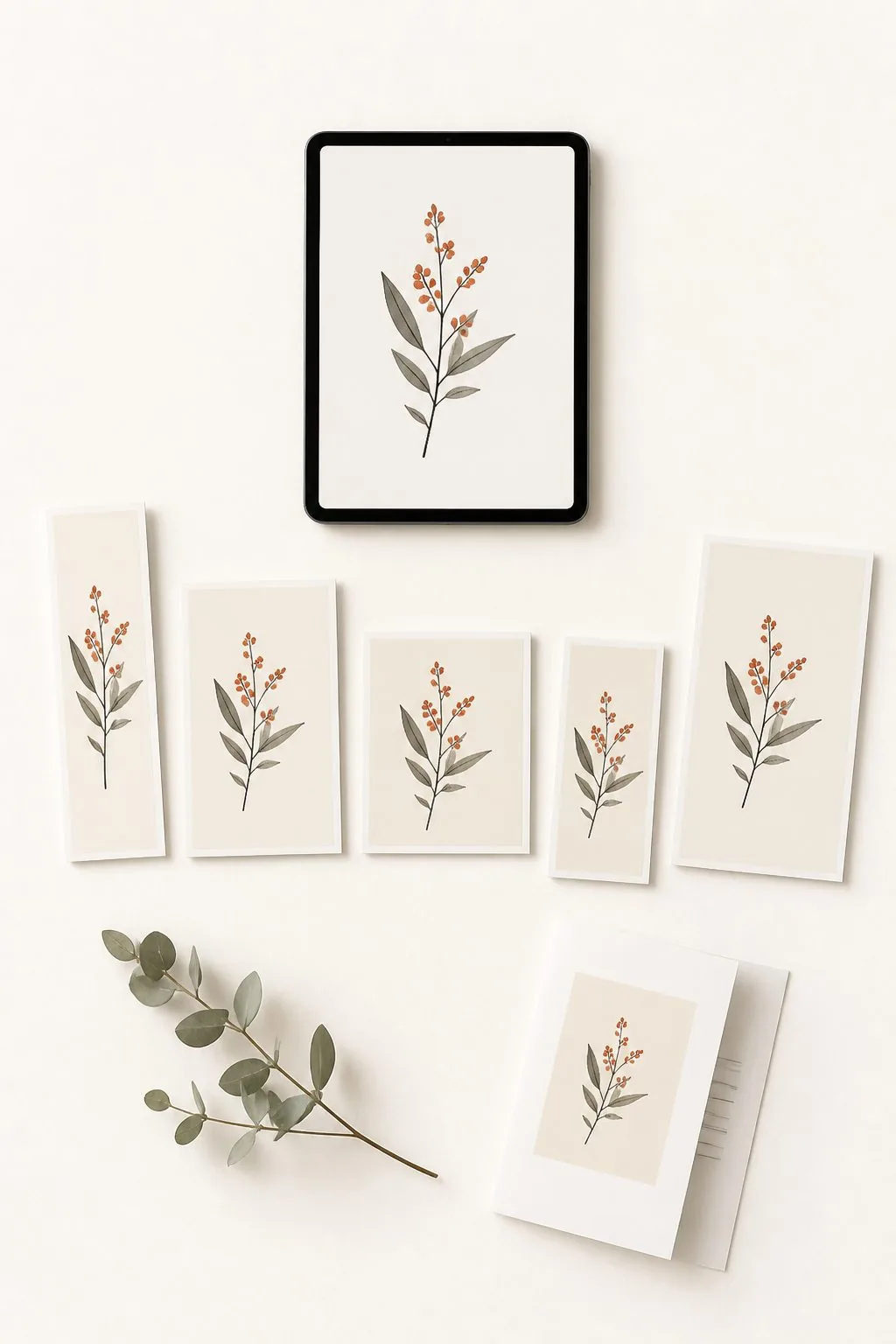
§01ONE UPLOAD · SIX DELIVERABLES
One image in. A complete Etsy kit out.
Press time · 3–5 min
§01
5 print files
300 DPI
4:5
§02
Mockups
Lifestyle
1:1
§03
15-sec video
1:1 Etsy
1:1
§04
Listing copy
Title + tags
—
§05
Customer PDF
Download
A4
§06
Drive folder
Auto-saved
—
§00Made for three kinds of digital-product seller
Digital wall art
Printable wall art seller
One design → 5 ratios at 300 DPI + up to 20 mockups + 15-second video + customer PDF + Drive folder.
≈ $0.40 per listing on Pro · ~3–5 min/job
See the wall-art tool →
Physical posters
POD poster seller
Print-spec file + lifestyle mockups + 15-second video + starter listing copy. Drive-saved, ready for Printify, Printful, or Gelato.
≈ $0.35 per listing on Pro · ~3–4 min/job
See the poster tool →
Clipart bundles
Clipart bundle seller
Bulk preview grid + optional background removal + watermark + ZIP + customer PDF + Drive folder. 1–50 images per batch.
From 10¢ per batch · ~4 min for a 20-image PNG batch
See the clipart tool →
What Ratio Ready is
Ratio Ready is a web-based production tool for people who sell digital downloads and print-on-demand products — on Etsy, Shopify, Gumroad, Creative Market, Payhip, or their own store. From one image upload it produces print-ready files at 5 standard ratios (300 DPI), lifestyle mockups, a 15-second 1:1 listing video, a starter listing-copy block, and a customer download PDF — saved to your Google Drive in 3 to 5 minutes. The finished files paste into any marketplace or storefront. It does not auto-publish for you; you keep the publish button.
Made for wall art, posters, and clipart sellers · supports Photoshop, Procreate, Canva, Midjourney source files
You designed the art. Now Etsy needs eight things before you can publish.
Most sellers spend 2–3 hours of file prep per listing — resizing, mocking up, recording a video, writing tags, uploading to Drive, pasting links into Etsy. The art took the morning; the busywork takes the afternoon.
Ratio Ready replaces that whole afternoon with a single upload.
- No. 01 Upscale design to print resolution ~10 min
- No. 02 Stamp 300 DPI metadata ~3 min
- No. 03 Crop into 5 standard frame ratios ~35 min
- No. 04 Composite lifestyle mockups in Photoshop ~30 min
- No. 05 Watermark listing previews ~5 min
- No. 06 Build a 15-second listing video ~15 min
- No. 07 Write title, description, 13 tags, sections ~20 min
- No. 08 Upload to Drive, share link, paste to Etsy ~15 min
- Total, manual ~2h 13m
- Total, Ratio Ready 3–5 min
→ Times vary with queue load. Submit and walk away — finished bundles wait in your history for 24h, or land directly in Google Drive when connected.
2h 13m
Manual file-prep per wall-art listing across 8 Etsy-required tasks before publish.
Source: Ratio Ready bottleneck table, May 2026.
5 ratios
Cover ~90% of global standard frame sizes — 2:3, 3:4, 4:5, 11:14, ISO A1 (portrait + landscape).
Source: IKEA / Michaels / A-series frame size catalogues.
300 DPI
Etsy's recommended print resolution for printable wall art and posters.
Source: Etsy seller handbook, digital downloads guidance.
~$77/mo
Industry tool stack: Adobe CC ($23) + Placeit ($15) + listing-video tool ($15) + AI upscaler ($24).
Prices verified May 2026.

Founder
Mac · Etsy seller since 2020
I'm Mac — I built this for my own Etsy shops first.
I've been selling digital downloads on Etsy since 2020 across several shops — clipart, wall art, posters. The hardest part was never the design. It was the two and a half hours of file prep between finishing the art and publishing the listing.
Ratio Ready is the finishing studio I built for myself. It runs every day across my own shops — print files, mockups, the listing video, the customer PDF, the Drive folder, the Etsy draft. Now it's open to anyone who recognises the same bottleneck.
The fastest way to judge it is to put one of your designs through it. Start with 75 free credits — no card, no commitment.
§02The Bundle Kit
One upload. The whole listing kit.
Every output a clipart, wall-art, or poster listing needs — bundled into one flat per-job price. No add-on checkboxes. No extra steps.
Print-ready files
5 wall art ratios (2:3, 3:4, 4:5, 11:14, ISO A1) at 300 DPI — portrait & landscape, every standard frame size.
AI upscale to print resolution
Sharp at every standard frame size up to 10,800px on the longest edge. No detail loss, no upscale-tier choices to make.
Lifestyle mockups & listing photos
Pick up to 20 mockups per job from our library, or upload your own PSD templates. Choose exactly which ones become your listing photos.
15-second 1:1 listing video
Auto-assembled 5-image carousel video at 1:1 — Etsy's listing video format. Drag straight into the video slot.
Watermarked previews (optional)
Toggle on to brand your listing photos with your shop name. Off by default for clean previews.
Customer-ready download PDF
We package your buyer's downloadable PDF — your product details plus a shareable Google Drive link to the print files. You don't write or assemble it.
Starter listing copy
Title, description, and 13 SEO tags generated from your image as a guideline — enough to publish same-day, not a fully optimised Etsy listing. Edit to your shop's voice and SEO targets.
Files saved to Google Drive
Per-listing folder, shareable link ready to paste into Etsy. Works with personal or Google Workspace accounts. Files live on your storage, not ours.
Storage you control
Personal Gmail or Google Workspace — both work the same way. Google offers 2 TB for $10/mo and 5 TB for ~$20/mo: thousands of high-resolution listings. Your IP stays on your storage.
Pricing on Pro
$0.40 per wall-art listing on Pro · $0.35 per poster · from 10¢ per clipart batch. Bundles all the outputs above. See the rate sheet →
§0360-second demo
From design to Etsy draft, in real time.
One image becomes a complete listing kit — print files, lifestyle mockups, 1:1 listing video, customer download PDF, and ready-to-paste listing copy — landing in your Google Drive.
→ 51 seconds · drop image → print files → mockups → Drive → Etsy draft.
§04Three steps to a live listing
No file prep. No Photoshop. No mockup compositing.
Submit and walk away. Come back to a complete listing kit.
§01
Upload
From desktop, iPad, or phone. Designed in Photoshop, Procreate, Canva, or Midjourney — doesn't matter what tool made it.
§02
Walk away
Print files, mockups, listing photo, 15-second video, and Etsy PDF generate in the background. Connect Google Drive and they land directly in a per-listing folder.
§03
Publish
Upload the files to Etsy, Shopify, Gumroad, or your own store — or wire a Make.com blueprint to push an Etsy draft automatically with files, mockups, title, and tags pre-attached.

§05The hidden invoice
Doing this by hand isn't free. It's the most expensive thing in your shop.
Whether you're an Etsy seller, designer, content creator, or VA prepping listings — the file-prep stack costs hours per listing and real dollars per month before you've shipped a thing.
Most sellers either do this themselves or hand it off to someone who does.
Both have a price tag — and most shops never put a number on it.
§01 · DIY
2–3 hrs per listing in Photoshop. At a $30/hr opportunity cost, $60–$90 of your time per listing, every listing — before Etsy fees, ad spend, or design hours.
§02 · Hand to a VA
VA rates: $8–$15/hr (offshore) or $20–$35/hr (US). Even at the cheapest rate, a wall-art listing runs $20–$45 in labour — on top of the tool stack the VA still needs.
§03 · Tool stack
Photoshop ($23/mo) + mockup app ($15/mo) + video tool ($15/mo) + AI upscaler ($24/mo) = $77/mo in subscriptions, before you've shipped a listing.
Ratio Ready does the same five listings in under twenty minutes for around $3 in credits — and you keep full control of the files, the decisions, and the publish button.
20 clipart
$0.54Print files · previews · listing PDF · Drive folder
By hand
~2h 30m
With Ratio Ready
~5 min
1 wall art
$0.405 ratios · up to 20 mockups · 1:1 video · listing PDF · customer PDF · Drive
By hand
~2h 15m
With Ratio Ready
~4 min
1 poster
$0.44Print file · mockups · video · listing PDF · customer PDF · Drive
By hand
~1h 45m
With Ratio Ready
~3 min
10 transparent PNG clipart
$0.54Background removal · previews · listing PDF · Drive
By hand
~2h
With Ratio Ready
~4 min
We don't store your files
When Drive is connected, your work goes straight to your Drive — not our servers. Without Drive, files sit in your in-app history for 24 hours, then are auto-deleted. Your IP, your storage.
Submit and walk away
Jobs run in the background. Retrieve from your in-app history (24-hour window) or open the per-listing folder Ratio Ready creates on your Drive. Your bundle is waiting when you come back.
Wire it to Make.com. Drafts assemble themselves.
We provide two ready-to-import Make.com blueprints: one for digital downloads (clipart + wall art) and one for physical posters (handles the Etsy shipping profile step). Upload your design through the Ratio Ready app → the bundle generates → an Etsy draft is created with files, mockups, title, description, and 13 tags pre-attached. You hit publish. Anything beyond that you build yourself against our REST API.
- Two blueprints included. Digital-downloads blueprint (clipart + wall art) and physical-poster blueprint with shipping-profile step. Import once, follow the video guide.
- Both run on a free Make.com account — no paid tier needed.
- REST API for everything else. Drive-triggered flows, n8n, Zapier, custom webhooks — key auth, callbacks, idempotent uploads. You build the scenario.
- Direct Etsy draft publishing — no Make.com required — coming soon.
§06The rates
Plans, sized to how much you publish.
Three monthly tiers. Pro ($50/mo) lands wall-art listings at $0.40 each — the hero anchor. Growth ($22/mo) lands them at $0.44. Start with 75 free credits, no card needed.
From $9/mo · $0.40 per wall-art listing on Pro · cancel anytime
Subscription Plans
Monthly billing · credits valid for the billing month.Starter
Each month, ship up to
- 18 wall art listings (5 ratios + mockups + video + Etsy PDF)
- 21 poster listings (print + mockups + video + PDF)
- 18 clipart bundles (JPG · 20 images)
- 12 clipart bundles (transparent PNG · 20 images)
Or any mix. Credits are valid for the billing month — a fresh allowance lands each renewal.
Start PlanGrowth
Each month, ship up to
- 50 wall art listings (5 ratios + mockups + video + Etsy PDF)
- 57 poster listings (print + mockups + video + PDF)
- 50 clipart bundles (JPG · 20 images)
- 33 clipart bundles (transparent PNG · 20 images)
Or any mix. Credits are valid for the billing month — a fresh allowance lands each renewal.
Start PlanPro
Each month, ship up to
- 125 wall art listings (5 ratios + mockups + video + Etsy PDF)
- 142 poster listings (print + mockups + video + PDF)
- 125 clipart bundles (JPG · 20 images)
- 83 clipart bundles (transparent PNG · 20 images)
Or any mix. Credits are valid for the billing month — a fresh allowance lands each renewal.
Start PlanStarter
750 cr$9/mo
Ships ~16 wall-art listings or ~25 clipart batches per month
Growth
2,000 cr$22/mo
Ships ~44 wall-art listings or ~68 clipart batches per month
Pro
5,000 cr$50/mo
Ships ~111 wall-art listings or ~170 clipart batches per month
§07The fine print, in plain language
75 free credits
No card on signup. Run a real listing through end-to-end before you pay anything.
Files stay yours
Output lands in your Google Drive. We don't keep a copy. No training, no resale, no ambiguity.
Cancel anytime
No annual lock-in. Pause or cancel from your dashboard with one click.
Failed jobs, auto-refunded
If a credit-charged job fails on our end, the credits land back in your pool automatically. No tickets, no waiting.
§08Frequently filed
Common questions, on the record.
§Get started
Ship your first Etsy listing on us.
75 Creative Credits, no card. Run a real listing end-to-end — print files, lifestyle mockups, 1:1 listing video, Etsy listing details (title, description, 13 tags), customer download PDF — saved straight to your Google Drive. Decide on the output, not the pitch.
No card · cancel anytime · files stay in your Drive